A satellite project of labs.iximiuz.com - an indie learning platform to master Linux, Containers, and Kubernetes the hands-on way 🚀
Elevate your hacking game by bringing the local machine and remote VMs closer together
|
Hello, server dweller! I spent some time lately adding new port-forwarding capabilities to labctl (and writing docs about it), and the results are actually worth sharing because they enable several new playground use cases. There is a number of ways (and reasons) to bring the playground VMs and the local machine closer together. For example:
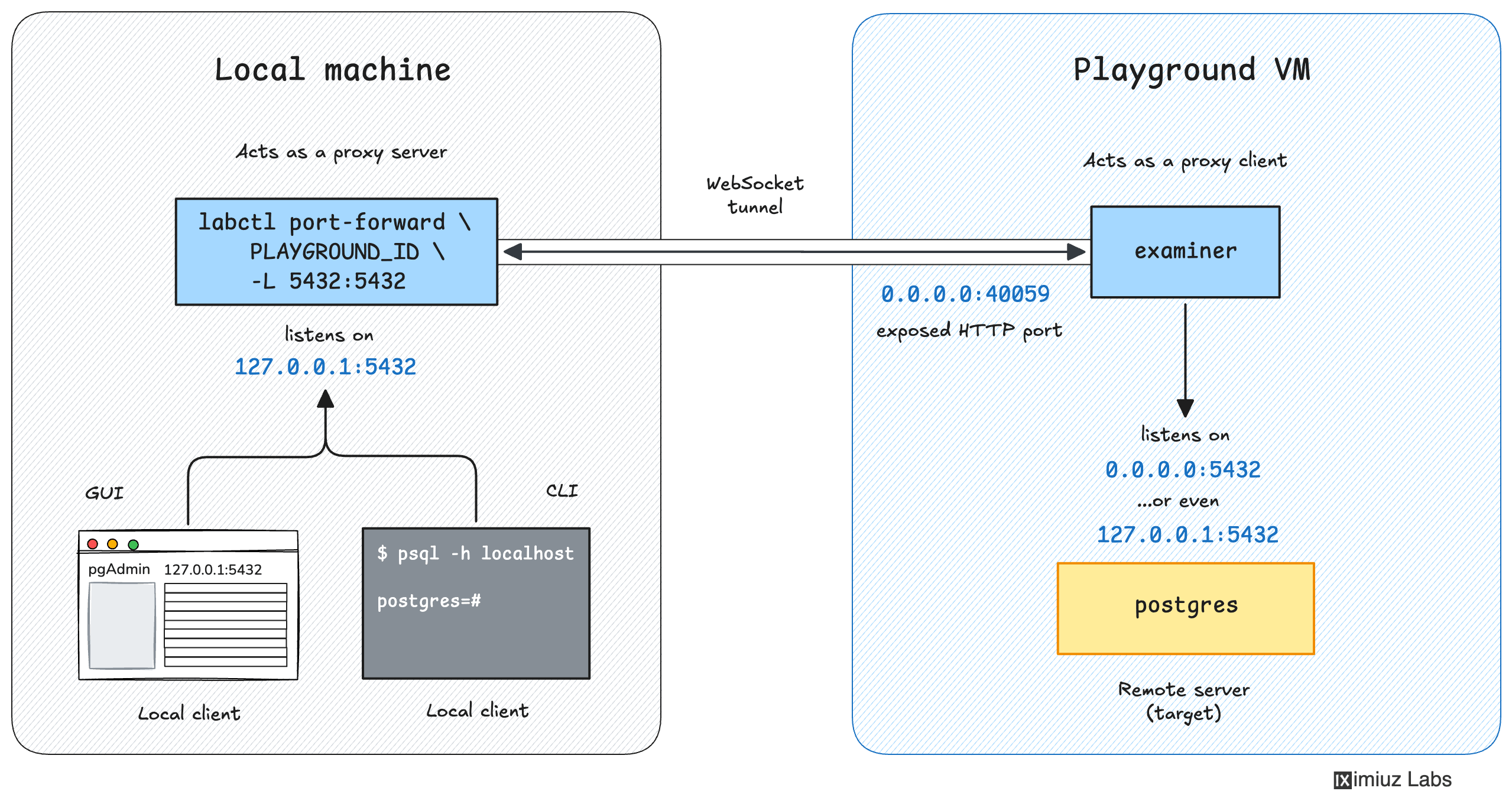
Sounds relevant? Then read on. Make Playground Services Accessible On The Local MachineYou can securely forward TCP & UDP ports of services running in playground VMs to your local machine using:
This capability comes in handy when you need to make a service running in the playground VM accessible for services or applications running on your local machine. For example, you can use it to connect a local development server to its upstream dependencies running in the playground, or to access a remote database using a local GUI client. Read more: How to Forward Local Ports
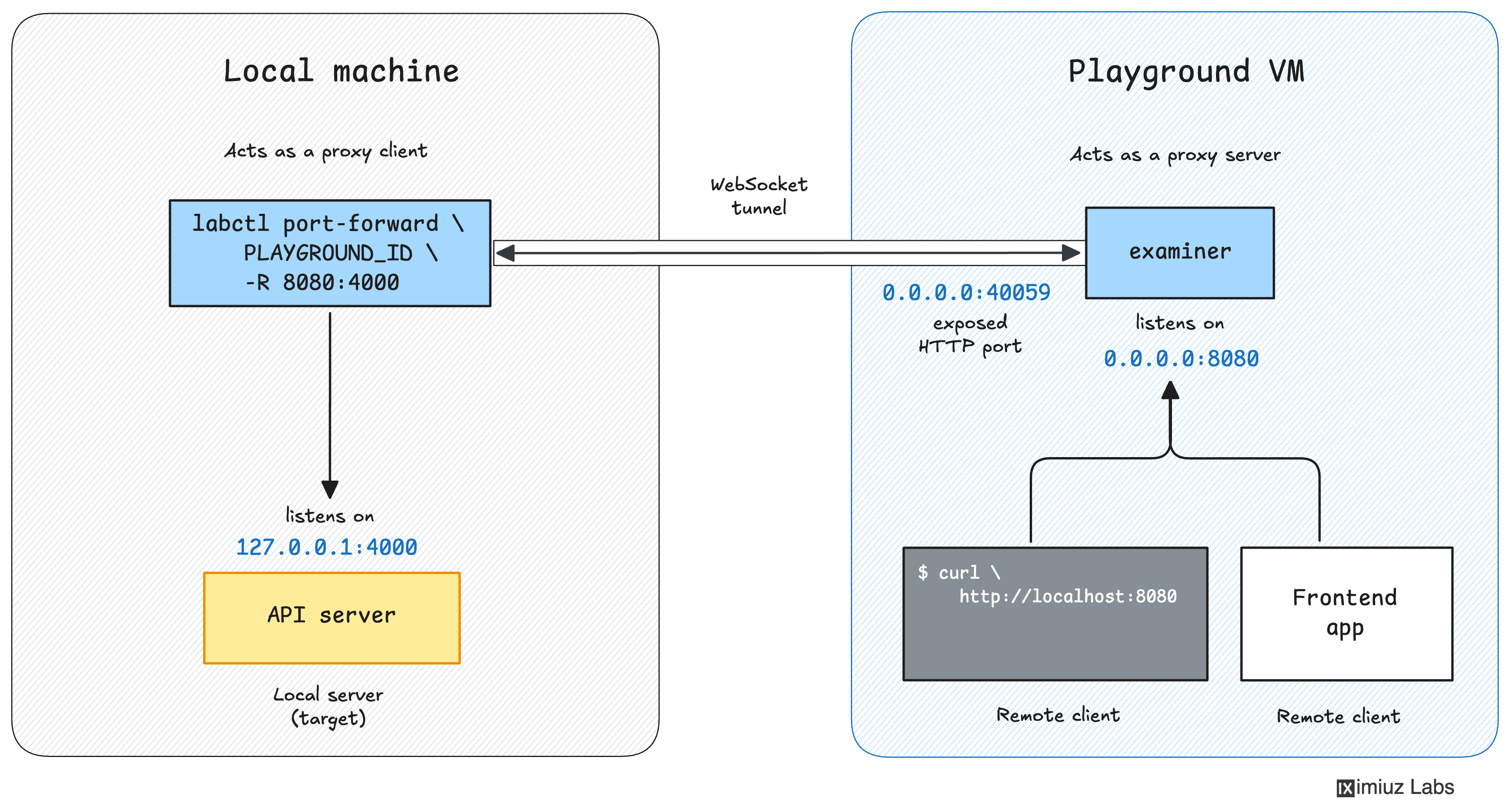
Make Local Services Accessible In PlaygroundsInversely, you can expose services running on your local machine to the playground VM using:
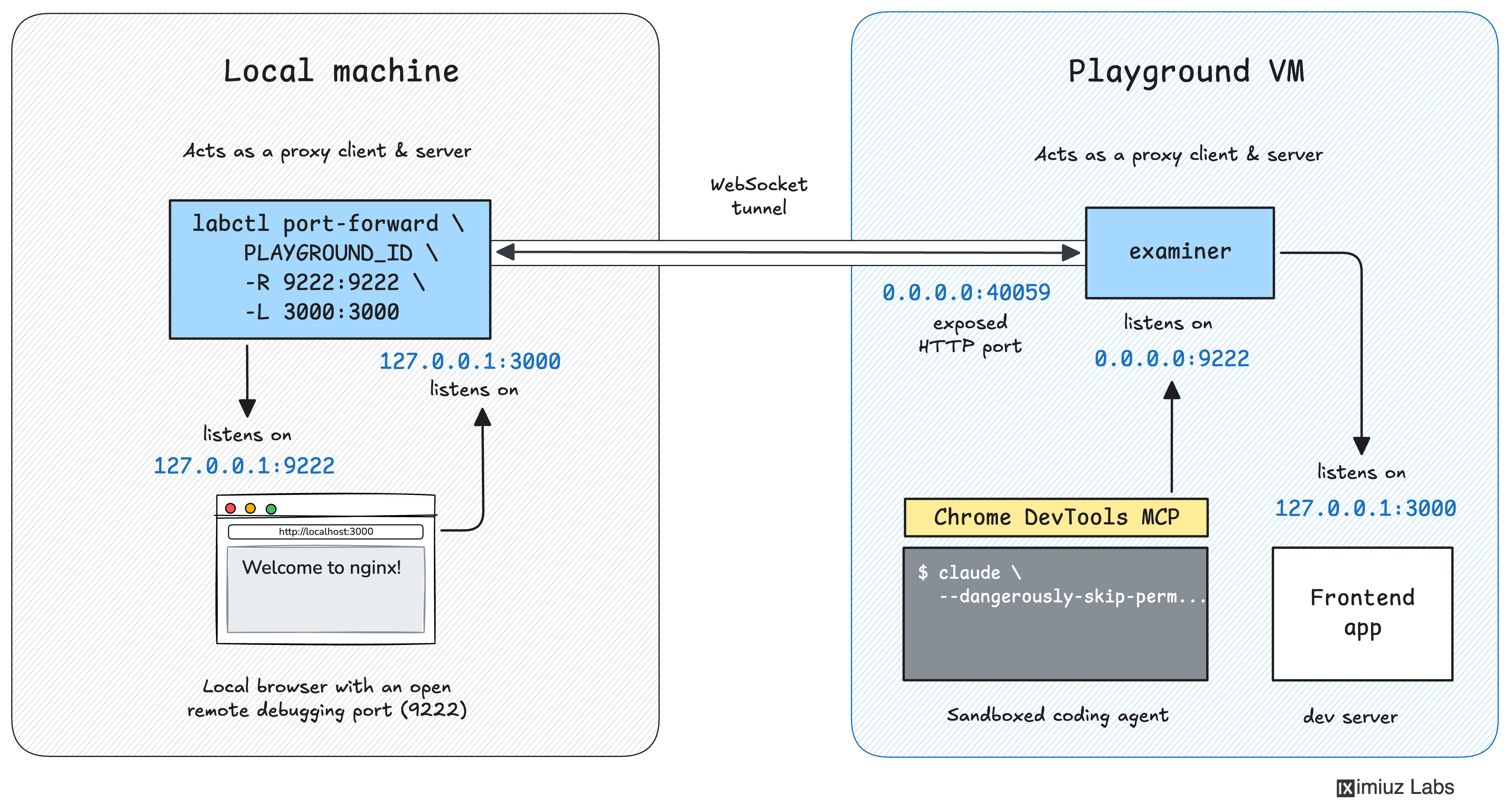
You can use this capability when you need to make a service running on your local machine (on the intranet) accessible for services running in the remote playground. For example, you can use it to expose Chrome's debugging port (9222) to a coding agent running in the sandbox VM. Read more: How to Forward Remote Ports
Sandboxed Coding Agents with Local Browser AccessRunning a coding agent like Claude Code directly on your laptop is convenient, but it also means giving it access to your filesystem and your shell. That's a lot of blast radius A safer setup is to run the agent in a disposable playground VM. However, if you do web development or want Claude Code to control your browser for whatever other reason, you will likely want to let it reach back to a separate, throwaway Chrome instance on your local machine over a forwarded port. The agent gets to iterate on code and see the rendered result in a real browser, while your primary browser profile stays untouched and your main system remains fully isolated. You can read about how to set it up using the
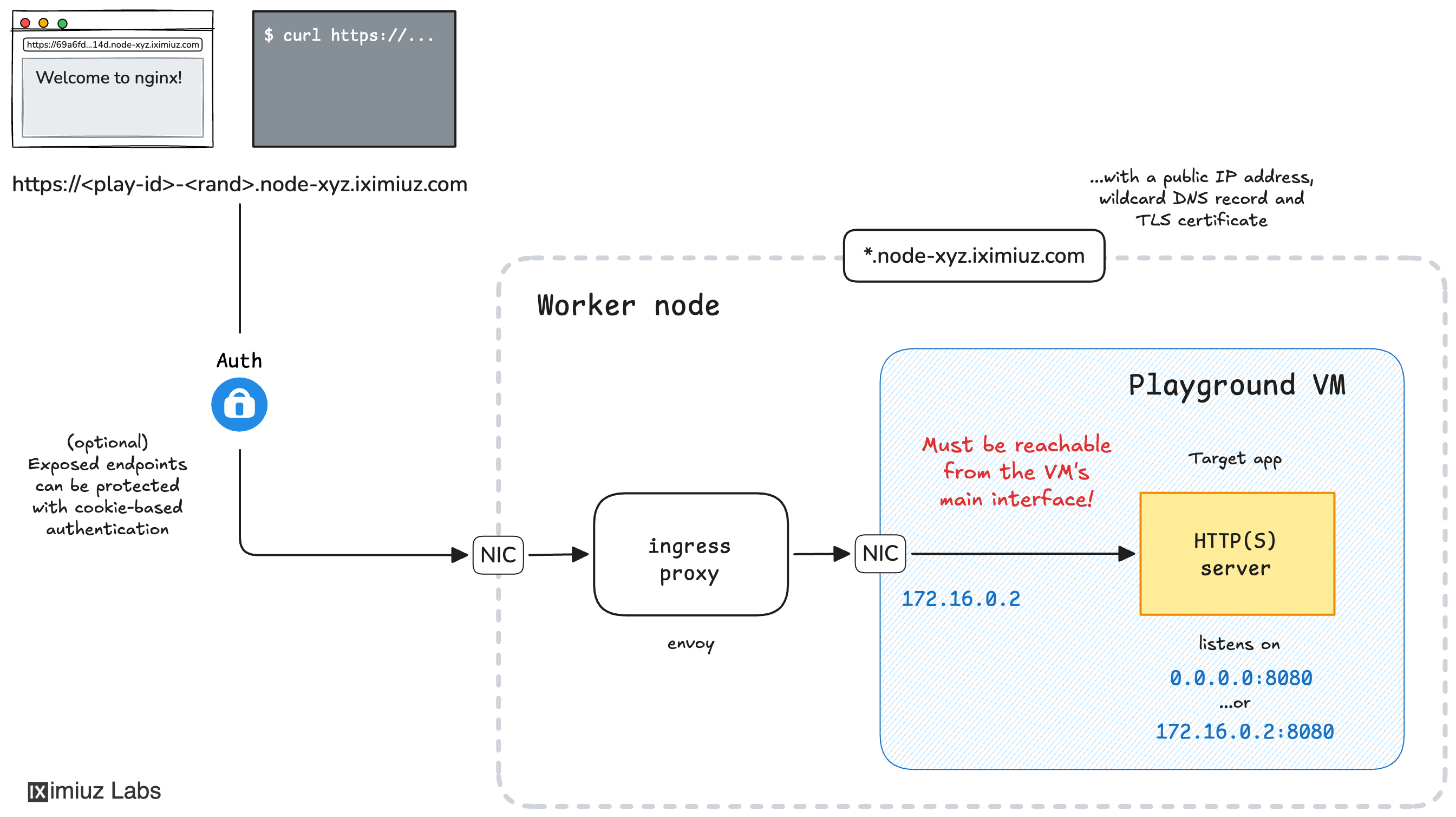
Share HTTP(s) Applications Running In Playgrounds With a URLYou can expose HTTP and HTTPS applications running in a playground VM to the open Internet. An exposed application becomes accessible via a unique URL that can be used either by you (from a browser or another device) or shared with others. Typical use cases are:
Read more: How to Expose HTTP/HTTPS Ports
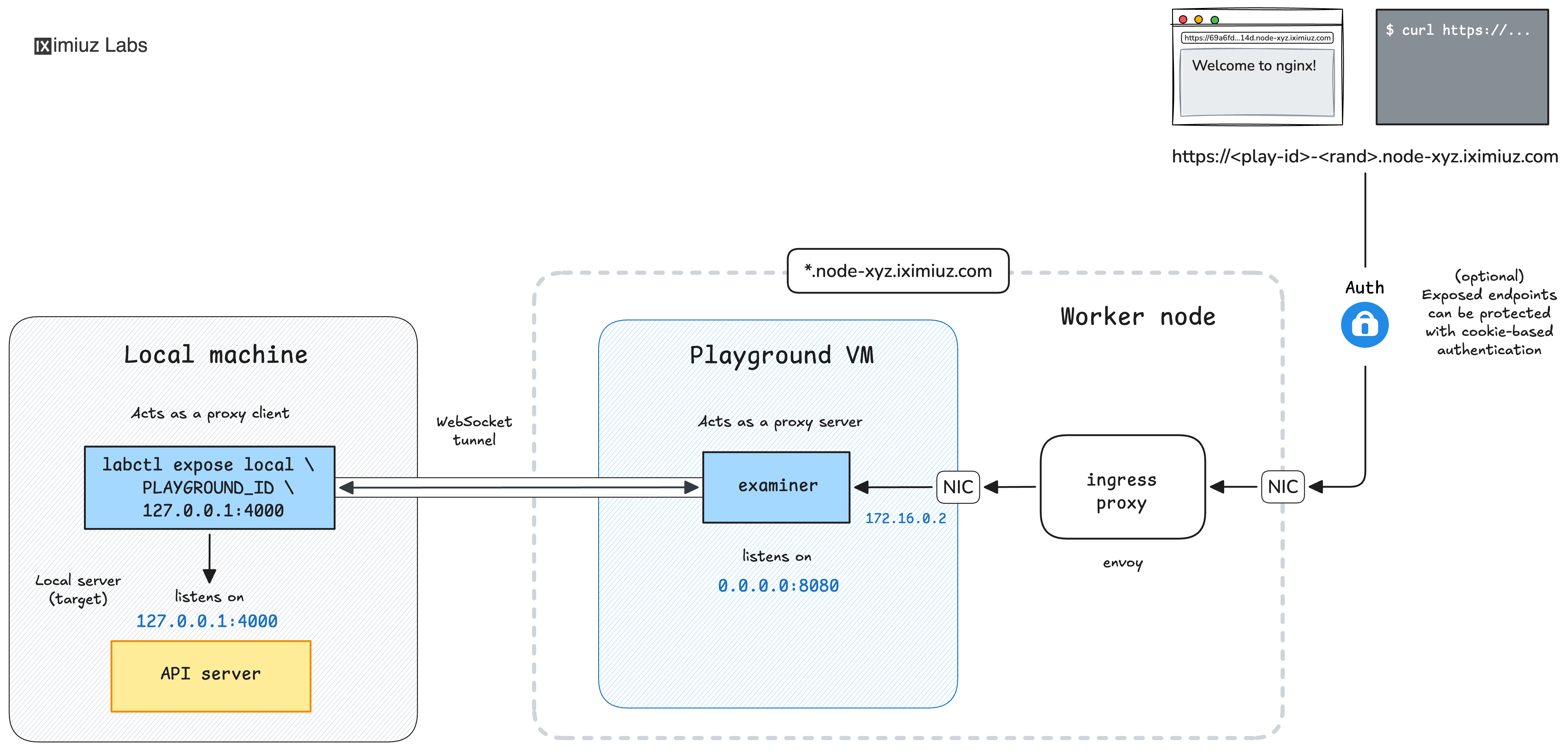
Expose Local Endpoints With a Public URLThe most recent addition to the platform's capabilities. You can now expose an HTTP(s) service running on your local machine to the open Internet with a single
Under the hood, this command combines remote port forwarding ( Typical use cases are:
Read more: How to Expose Local Endpoints
Wrapping upPort forwarding is a powerful trick that, in particular, lets you wire together local and remote execution environments, keeping your local system free of rogue agents while providing seamless access to sandboxed services. Give it a shot - it's a valuable addition to anyone's toolbox. Happy hacking! 🧙♀️ Ivan P.S. Just a quick reminder that iximiuz Labs membership has recently became 40% cheaper. Get twice larger playgrounds that run for up two 8 hours, the ability to persist your work between runs, and unlock all learning materials at the best price ever. |
Ivan on the Server Side
A satellite project of labs.iximiuz.com - an indie learning platform to master Linux, Containers, and Kubernetes the hands-on way 🚀